AI Story Generator With Images: What to Look For in 2026
You search for “AI story generator with images” because you want something specific: a tool that writes a story and shows you what the scenes look like. Not a text generator over here and an image generator over there. One experience where the pictures are part of the story.
The problem is that most tools calling themselves an AI story generator with images are actually two separate tools duct-taped together. You generate text in one panel and images in another. The images do not know what the story says. The story does not know what the images show. The result feels like a writing app with a clip art sidebar, not a story with illustrations.
Here is what to look for if you want the real thing, and where different platforms fall on the spectrum.
What “With Images” Should Actually Mean
When a book has illustrations, the images appear at the right moments in the narrative. The illustration of the castle appears when the characters arrive at the castle. The portrait of the villain appears when the villain walks into the room. The picture matches what the text describes because someone made sure they go together.
An AI story generator with images should work the same way. The images should appear inline with the text at moments that matter to the story. They should reflect what is actually happening in the scene, not a generic prompt you typed separately. And ideally, the characters in the images should look consistent from one illustration to the next, because nothing breaks immersion faster than a hero who changes faces between chapters.
Most AI tools do not do this. They give you a story in one place and an image generator in another, and leave you to figure out the connection yourself. That is not an AI story generator with images. That is two tools.
The Character Consistency Problem
This is the issue that frustrates people most, and it is worth understanding why it happens.
When you ask an AI to generate an image of “a woman with dark hair in a red dress standing in a forest,” it creates a new image from scratch. When you ask it to generate another image of the same woman in a different scene, it creates another new image from scratch. The two images were generated independently, so the woman might look different in each one. Her face changes. Her hair length shifts. The shade of red on the dress does not match.
This happens on every platform that uses standard image generation, including Perchance, AI Dungeon, and most standalone tools. Each image is its own isolated creation with no awareness of what came before.
The platforms that handle this better do so by feeding the AI more context about what characters should look like and by using art styles that are more forgiving of slight variations. A painterly or hand-drawn illustration style, for example, makes minor differences between images less jarring than a photorealistic style where every detail is scrutinized.
NovelFlame approaches this with genre-matched art styles and editorial guidance that shapes each image generation around the story context. Horror stories get photoreal or painterly treatments. Fantasy gets hand-drawn illustration styles closer to what you would see on a book cover. Romance gets its own visual approach. The art direction is built into the story engine rather than bolted on afterward.
Inline vs. Separate: Why Placement Matters
Where images appear in the reading experience changes how the story feels more than you might expect.
If images are generated in a separate panel or tab, reading the story means switching between two views. You read some text, click over to see the image, click back to read more text. The reading flow is constantly interrupted. This is fine if you are using an image generator as a creative tool, but it is the wrong experience if you are trying to read a story.
Inline images appear at their natural moment in the narrative. You read about the characters entering the abandoned mansion, and the illustration of the mansion appears right there in the text, exactly where it belongs. You do not click anywhere. You do not switch views. The image is part of the reading flow the way an illustration in a printed book is part of the reading flow.
This sounds like a small difference, but it changes whether the experience feels like reading a visual novel or using two software tools at the same time. If you are looking for an AI story generator with images, ask whether the images appear inline or in a separate interface. That one detail tells you whether the tool was designed for readers or for prompt engineers.
What About Video?
Images are the baseline, but some platforms have started adding video to the story experience. This is newer territory and most tools have not caught up yet.
NovelFlame includes two kinds of video, both part of NovelFlame Plus. A completed story can get a completion video montage that stitches the illustrations from your specific run into a highlight reel scored to genre-matched music. A horror story montage ends on a tense score. A romance montage ends on something softer. Because the montage is built from your particular choices and illustrations, no two readers get the same one.
For readers who want more, premium AI video scenes are available at specific dramatic moments during the story. These are five, ten, or fifteen second generated clips that bring a pivotal moment to life with original AI footage rather than a still image. NovelFlame Plus includes two of these cinematic scenes per billing period, so you can spend them at the moments where you want the extra impact.
Most other AI story generators have no video capability at all. This is not a criticism. Video in interactive fiction is brand new and NovelFlame happens to be the first platform to ship it. But if multimedia matters to you, it is worth knowing which platforms offer it and which do not.
How Different Platforms Compare
Perchance has images alongside text in its “AI Story with Pictures” generators. It is free and unlimited. The main drawback is character inconsistency between images (characters change appearance from scene to scene) and no saved library. When you close the tab, the story and all its images are gone. Good for quick experiments. Less good for reading a polished story. See the full comparison for details.
AI Dungeon added image generation in recent updates. Images are generated based on the scene and appear in the story view. The quality has improved over time, but the experience is still closer to an illustrated chat log than a visual novel because AI Dungeon’s open-ended format means the AI is generating text without a structured plan for where the story is going. The AI Dungeon comparison covers the story memory angle in depth.
NovelAI has a mature anime-style image generator that its community has iterated on for years. However, the images and the stories are separate features. You write in one interface and generate images in another. The art quality is high, especially for anime aesthetics, but the images are not part of the reading flow. See the NovelAI comparison for the full breakdown.
NovelFlame generates images inline as you read, with genre-matched art styles. Completed stories include a video montage, and cinematic video scenes are available during the story. The tradeoff is that NovelFlame is not free beyond the demo stories.
What to Ask Before Choosing
If you are evaluating AI story generators with images, these are the questions that separate the real thing from the marketing:
Are the images inline or separate? If you have to switch between a text view and an image panel, the images are separate. If they appear in the reading flow, they are inline.
Do characters look consistent across images? Generate a story with the same character in three different scenes and compare the images. If the character changes appearance, the tool has the consistency problem.
Can you save the story with its images? Some tools generate images that disappear when you close the session. Others save them permanently. If you want to revisit a story later, you need permanent storage.
What art style options exist? A single default art style works for some genres and looks wrong for others. Anime works well for fantasy but not for gritty noir. Photorealism works for thrillers but can feel off for lighthearted romance. Per-genre styling means each story gets visuals that match its tone.
Is there video? If multimedia matters to you, check whether the platform offers any video capability or only still images.
Try the Difference
The fastest way to understand what inline AI images feel like in a story is to read one. This demo runs about fifteen minutes and includes illustrations at key moments:
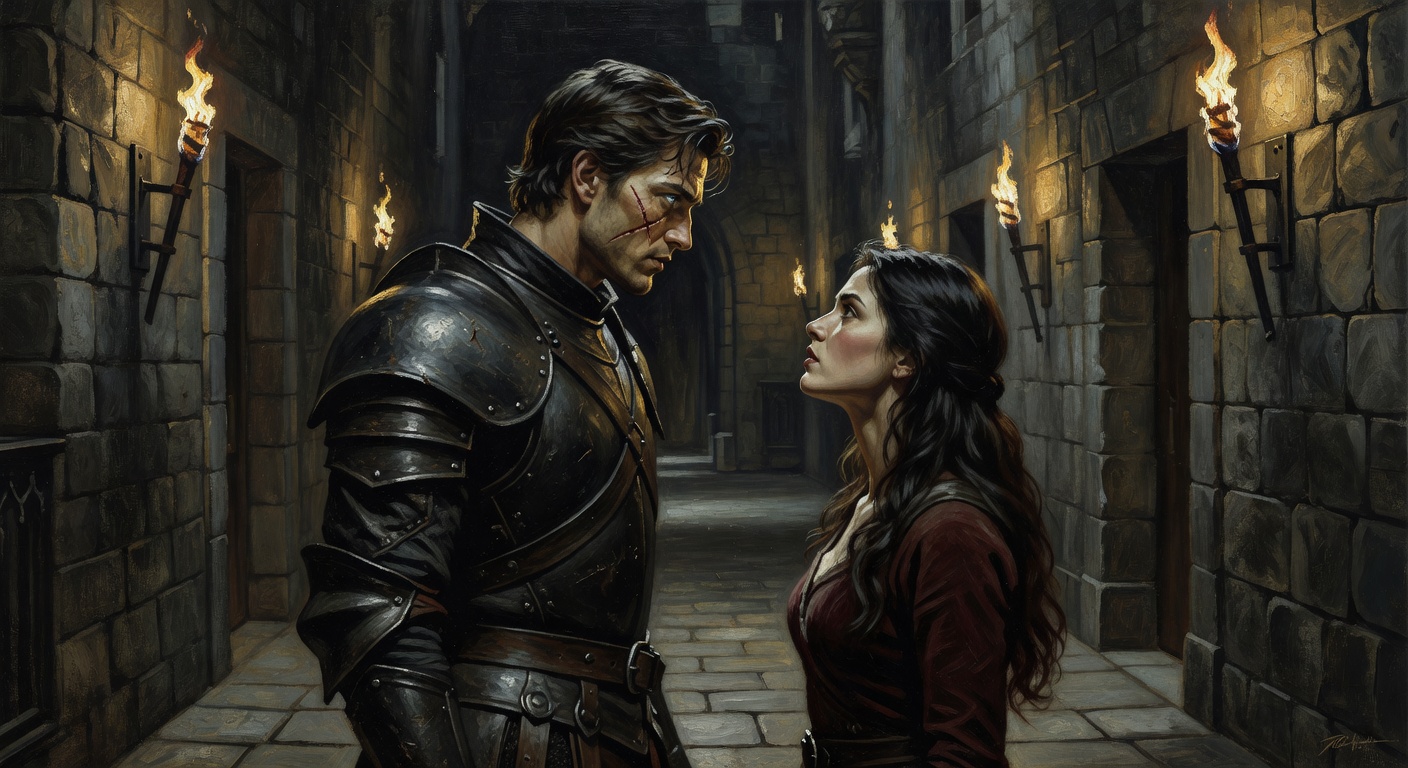
The Thornwood Accord
Two rival houses. One impossible alliance. A scarred commander who doesn't trust you. Enemies-to-lovers romantasy with choices that change everything.
Pay attention to when the images appear and whether they match what is happening in the text. That is the difference between an AI story generator with images and a text tool with an image sidebar.
For more on how AI interactive fiction works, read the complete guide. To explore specific genres, visit the interactive fiction games hub or browse stories by genre.
Get notified about new stories
Related Articles
Interactive Fiction Books: From Print to AI-Powered Stories
How interactive fiction books evolved from page-flipping gamebooks to AI-generated stories with branching narratives, illustrations, and real choices.
AI Choose Your Own Adventure: Beyond the Books
How AI choose your own adventure stories go beyond the page-flipping format with real branching, generated illustrations, and stories that remember your choices.
AI RPG That Remembers Your Choices (Finally)
Why most AI story games forget what you did three chapters ago, and how story memory changes the experience from a chat log into a real RPG.